A few weeks ago, I was working on a creative project—trying to create eye-catching visuals for a blog post. As someone who isn’t well-versed in graphic design, I often found myself struggling to create images that matched my content. Then, by chance, I came across OpenArt, and it completely transformed the way I approached my creative work.
I had been struggling to generate original images that were both attention-grabbing and perfectly aligned with my content. That’s when OpenArt came to the rescue. I was amazed by how simple yet powerful the platform was. It not only helped me solve a major problem but also opened up endless possibilities for my creative work.
How OpenArt Helped Me Solve My Problem
When I first used OpenArt, I was feeling frustrated with a creative project, especially when it came to turning my text descriptions into stunning images. My ideas were crystal clear in my head, but I was always struggling to find images that could accurately convey those thoughts. Even after browsing countless image libraries online, I couldn’t find exactly what I needed, and sometimes the details in the images were far from ideal. So, I decided to try the Text to Image feature.
All I had to do was enter a description of the scene in the text box—something like: “A sunset over a lake, soft golden sunlight glistening on the calm water, distant mountains shrouded in mist, evoking a sense of tranquility and poetry.” Within seconds, a vivid image appeared before my eyes. It felt almost like magic. The image perfectly captured the scene I had envisioned in my mind, with colors and atmosphere that matched my description. Even the smallest details were flawless. From that point on, I no longer had to spend countless hours sifting through stock photos or explaining my ideas to a designer; everything could be created with just a few lines of text.
But this was just one feature of OpenArt. As I dug deeper into the platform, I discovered more powerful tools that allowed me to further edit, adjust, and refine my images, giving me the ability to create more beautiful and personalized visuals. For instance, if I wanted to tweak the sky’s color or change the shape of the distant mountains, I could use the Image to Image function. I uploaded a preliminary image and provided my modification requests. Within minutes, the system automatically presented me with an updated version, with clearer mountain contours and a sky that had been adjusted to match my needs.
What’s more, OpenArt offers many detailed features that allow for deeper customization of images. For example, the Style Reference feature allowed me to apply specific artistic styles to my images. I chose an Impressionist style, and the generated image looked like it belonged in a Monet painting, with soft colors and flowing brushstrokes that made the entire scene feel more dreamlike. The Pose Reference feature also solved a common problem for me—when I wanted to add specific poses or movements to characters in an image. The system provided accurate pose references, allowing me to easily adjust the character’s position and actions to ensure the image was more expressive.
At the same time, OpenArt supports a “custom model training” feature, enabling me to systematically train models tailored to my own specific artistic style or creative themes. This ensures that the images generated for future projects maintain stylistic consistency. For instance, once I have trained a model based on my preferred illustration style, I can quickly generate artworks with that exact visual aesthetic whenever needed—thereby saving me a significant amount of creative time.
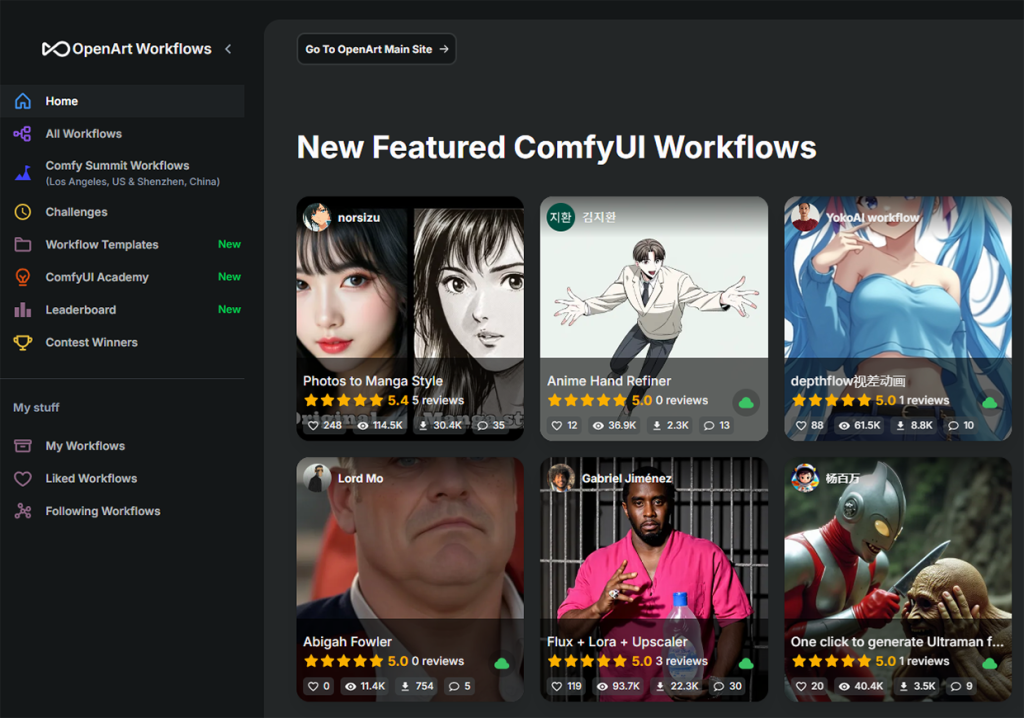
These powerful features have allowed me to break free from the constraints of technical skills or limited tools, enabling me to focus solely on my creativity and ideas. Whether it’s generating simple images or applying complex styles and detail edits, OpenArt executes everything quickly and accurately. The seamless integration of these tools has completely revolutionized my creative workflow, allowing me to produce higher-quality visuals in a fraction of the time.
The Powerful Toolbox OpenArt Offers for Creation
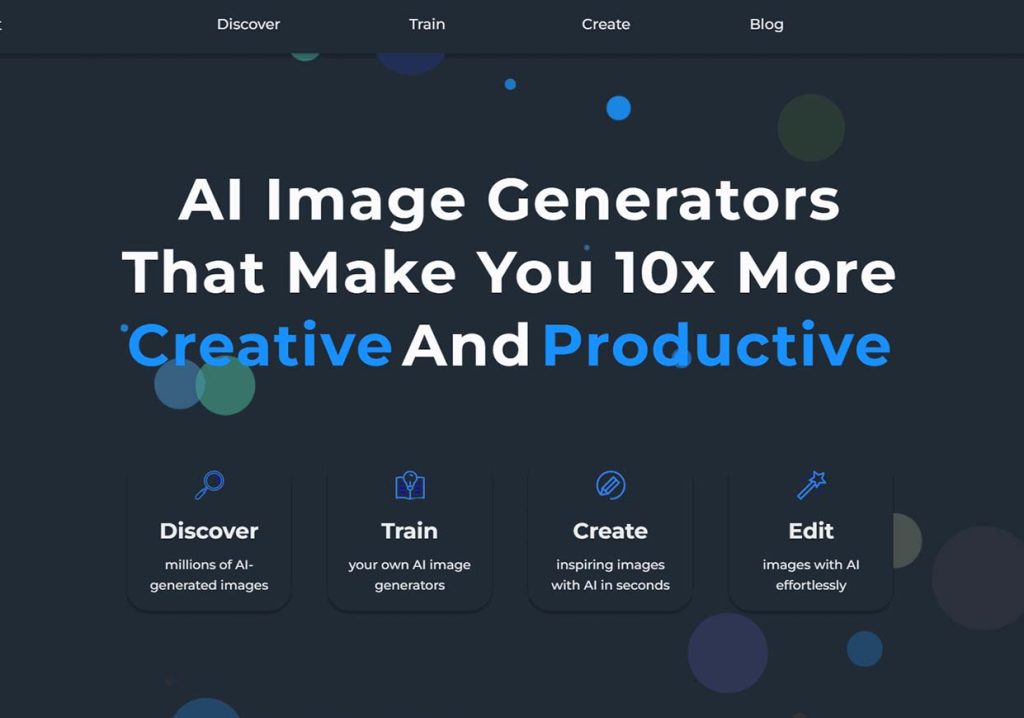
Building on these incredible capabilities, OpenArt offers a vast array of additional tools designed to further enhance your creative process. It’s not just about generating beautiful images—it’s about making your ideas come to life with precision, flexibility, and ease. Let’s dive into some of the key features that make OpenArt an all-in-one creative powerhouse.
- CREATE OpenArt is equipped with a range of powerful creation tools—every creator’s dream:
- Text to Image: This is a game-changer for me. I simply describe a scene, and it generates high-quality images that perfectly align with my ideas.
- Image to Image: This feature lets me take an existing image and transform it into a new style, making it perfect for modifying or enhancing existing pictures.
- Style Reference: If I want my image to reflect a particular artistic style, OpenArt’s style reference feature can apply various artistic styles, allowing me to achieve the desired effect.
- Pose Reference: If I need a character to be in a specific pose but don’t know how to achieve it, OpenArt provides accurate pose references, making it easy to adjust positions and actions.
- Composition Reference: Whether you’re an artist or a content creator, OpenArt offers visual composition suggestions to ensure your work is balanced and aesthetically pleasing.
- Train Customized Models: For those with unique style or theme requirements, this feature allows you to train your own AI model to create images that align with your personal style.
- Bulk Create: If you’re working on a large-scale creative project and need multiple images, OpenArt allows for bulk creation, saving you tons of time.
- EDIT OpenArt not only helps you create but also makes it easy to edit your images and perfect them:
- Blend Image Layers: You can combine different image layers to create a brand-new visual effect, perfect for unique art projects.
- Style Transfer: If you want to transfer the style of one image to another, OpenArt’s style transfer feature makes it effortless, as if both images originally belonged to the same art series.
- Inpainting: Sometimes, parts of an image might be missing or damaged—OpenArt can intelligently repair these areas, making the image whole again.
- Fix Hands/Faces: If hands or faces in your generated image appear unnatural, OpenArt’s AI can accurately fix these issues, making the image more realistic.
- Change Facial Expressions: You can easily change the facial expressions of characters in your image, giving them different emotions and expressions.
- Upscale Image: When enlarging an image, it often loses quality, but OpenArt can upscale images without losing clarity or detail.
- Enhance Image: This feature lets you increase the sharpness and quality of your image, making it more professional and polished.
- Expand Image: If you need more space on your image, such as adding a background or extra elements, OpenArt can easily extend the image.
- Change Background: You can quickly change the background of your image, creating fresh visual effects—perfect for social media covers or ads.
- Remove Background: If you need a clean cutout of your image, OpenArt can easily remove the background, giving you a perfect image cutout.
- Magic Remover: Want to remove unwanted elements from your image? OpenArt’s magic remover feature can take care of it easily.
- Find and Replace: You can find and replace specific elements in an image, useful for quickly modifying details or replacing certain elements.
- AI APPS OpenArt.ai isn’t just about image creation—it also provides AI apps that can elevate your creations to new heights:
- Image to Video: You can convert static images into short videos, adding dynamic content to your social media.
- AI Filters: OpenArt’s AI filters allow you to add professional effects to your images, whether it’s subtle lighting or dramatic changes.
- Sketch to Image: If you have a rough sketch, OpenArt can turn it into a beautiful image, saving you from having to draw everything in detail.
- Creative Variations: Want to explore different versions of an image? OpenArt can generate creative variations of your image, helping you choose the best one.
- Image Blender: Want to combine two images into one seamless work of art? OpenArt’s image blender lets you do just that.
- QR Code Generator: Need a branded QR code? OpenArt can generate one for you as well.
Why I Love OpenArt
What I love most about OpenArt is how it has completely simplified my creative process. I no longer need to rely on multiple software or struggle with complex design skills. OpenArt has everything I need in one platform. Whether it’s creating content for a blog, enhancing images for social media, or simply exploring new creative ideas, OpenArt is my reliable assistant.
If you’re also looking for an intuitive and powerful platform to elevate your creative projects, I highly recommend trying OpenArt. It has completely changed the way I work, and I’m confident it can do the same for you!